

Ever wondered how to safely share a private video without it ending up in the wrong hands? With so many apps, platforms, and sharing options out there, it can feel overwhelming. The good news is, if you know what privacy and security features to look for, you can keep your personal videos protected while still sharing them with the right people.
In this guide, you’ll learn about the best privacy and security features for sharing private videos, including practical steps and examples you can use today.
Why Privacy and Security Matter for Video Sharing
Sharing videos is easier than ever. But with this convenience comes real risks. Once a video is out in the world, it can spread much farther than you intend. Maybe you want to share a birthday party clip with family, a school project with classmates, or a work presentation with your team. Without the right privacy and security features, your private moments could become very public.
When you use platforms that protect your videos, you control who sees your content. This means you decide where your videos go, who can view them, and for how long. A few smart choices can prevent a lot of headaches down the road. Let’s break down the most important privacy and security features you should look for before sharing any private video.
1. Strong Access Controls: Who Can See Your Video?
The first step in keeping your videos private is deciding exactly who gets to see them. Most video sharing platforms offer some form of access control, but the specifics can vary a lot.
Password-Protected Links
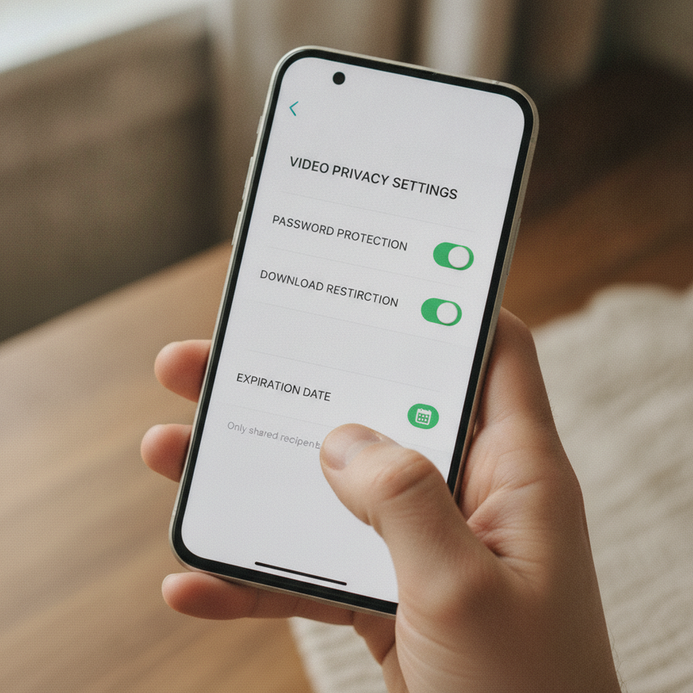
One of the simplest ways to keep a video private is by using a password-protected link. Only people with both the link and the password can view the video. This works well for family events, group projects, or anything you want to keep within a small circle.
Invite-Only or Whitelist Sharing
Some platforms let you invite specific people by email. Only those you invite can watch the video. This is a great option for sharing sensitive or personal content, because you know exactly who has access.
Expiring Links
Look for platforms that let you set your video link to expire after a certain time. For example, you might want your link to work for a week, then stop working automatically. This limits the window in which your video can be shared or downloaded by others.
2. Granular Privacy Settings and Controls
Not every video needs to be locked down the same way. Maybe you’re fine with friends seeing some videos, but want tighter security for others. Granular privacy settings let you pick exactly how each video is shared.
Public, Unlisted, and Private Options
Most major platforms give you three basic choices:
- Public: Anyone can find and view the video.
- Unlisted: Only people with the link can view the video, but it won’t show up in search results.
- Private: Only you and people you choose can see the video.
For most private videos, unlisted or private is the way to go. Always double-check which setting you’ve chosen before sharing.
Audience Restrictions
Advanced privacy and security features can go even further. Some platforms let you restrict viewing by age, location, or even device type. This is especially useful if you’re sharing content with a specific group, like a classroom or a sports team.
3. Encryption: Protecting Videos on the Move and at Rest
You might have heard the word “encryption” before, but what does it really mean for your videos? Encryption is like sealing your video in a locked box. Only someone with the right key can open it.
End-to-End Encryption
Platforms that use end-to-end encryption make sure only you and the people you share with can see your video. Not even the platform itself can access the content. This is the gold standard for privacy and security features when it comes to sensitive videos.
Encrypted Storage
Some services also keep your videos encrypted while they’re saved on their servers. This means hackers or unwanted viewers can’t access your content even if they breach the platform.
4. Download and Screenshot Restrictions
Even if you trust your audience, you may want to stop your videos from being downloaded or shared beyond your intended viewers.
Disable Downloads
Many modern platforms allow you to turn off downloads for your videos. Viewers can watch, but not save a copy. This is an easy way to keep your content from spreading accidentally or being reposted elsewhere.
Screenshot Detection and Alerts
Some platforms can detect when someone tries to take a screenshot of your video. While it can’t always stop them, it can alert you if it happens. This extra layer of privacy and security features helps you keep tabs on your content.
5. Activity Logs and Access Notifications
Want to know who’s viewing your videos and when? Activity logs and access notifications help you track what’s happening with your content.
View Tracking
With view tracking, you can see who has watched your video and when they watched it. This helps you spot any unexpected viewers right away.
Access Alerts
Some platforms will notify you if your video is accessed from a new device, location, or after a certain number of views. These alerts let you respond quickly to any suspicious activity.
6. Custom Watermarks and Branding
If you’re worried about your video being shared without your permission, custom watermarks can help. A watermark is a visible mark or logo on your video that shows it’s yours. This makes it harder for others to claim your content or spread it without credit.
Dynamic Watermarks
Some services offer dynamic watermarks that include the viewer’s name or email. If a video leaks, you’ll know exactly who shared it. This is a strong privacy and security feature for business or sensitive content.
7. Choosing the Right Platform for Privacy and Security
Not all video sharing platforms are created equal. Before you share anything private, check what privacy and security features the platform offers.
Some questions to ask:
- Does the platform offer password protection or invite-only sharing?
- Can you set links to expire?
- Are your videos encrypted during upload, download, and storage?
- Can you turn off downloads or set up alerts for unusual activity?
- Are there options for watermarking or tracking views?
If you’re using a platform for business, like sharing training videos or customer testimonials, look for one that specializes in privacy and security features. These platforms often have more robust options and better support if things go wrong.
Practical Tips for Safer Video Sharing
Understanding privacy and security features is one thing. Actually using them is another. Here are some practical steps to make sure your private videos stay private:
- Always review your privacy settings before uploading or sharing a video.
- Use strong, unique passwords for any protected links.
- Only share links with people you trust, and remind them not to forward or repost.
- Regularly check activity logs or view reports for any surprises.
- If you’re sharing with a group, consider using a platform designed for team or business use rather than a general social app.
Remember, no technology is perfect. But by making smart choices, you can greatly reduce the chance of your private videos going public.
[[inline image: A close-up of a smartphone screen showing video privacy settings with toggles for password protection, download restriction, and expiration date. The user’s hand is adjusting a setting.]]
How SearchEO AI Can Help Protect Your Content
If you’re a business owner or marketer, the risks of accidentally leaking private videos can be much higher. That’s where SearchEO AI comes in. Our platform is built with privacy and security features in mind, helping you keep your videos safe while reaching the right audience.
With SearchEO AI, you get access to advanced visibility tools that integrate privacy controls, encryption, view tracking, and more. You’ll know exactly who’s seeing your content and how they’re interacting with it. This gives you peace of mind and helps you focus on growing your business, not worrying about leaks.
Conclusion
Sharing private videos doesn’t have to be stressful. The right privacy and security features let you control who sees your content and keep your videos safe. By using access controls, encryption, download restrictions, and smart tracking, you can share with confidence.
Want to learn more about keeping your business content secure? Contact us to learn more.